For investors who hold more than just stocks
If your portfolio spans property, bonds, VC, equities, and cash — across multiple accounts and structures — you've outgrown what one app can show you.
Multi-asset holders
Property, bonds, VC funds, equities, ETFs, and cash sitting alongside each other — never seen in one place.
Multi-account investors
Personal, joint, company, pension. Different brokers, different jurisdictions, one real net worth.
Leveraged investors
Mortgages, margin, AT1 pool loans. You need gross exposure and net equity in the same view.
Long-horizon allocators
You think in years, not weeks — and want to see drift in your allocation before it becomes a problem.
Why most investors don't actually know their allocation
Net worth feels different depending on whether you count the mortgage. Most tools quietly choose for you.
Spreadsheets go stale
A new bond purchase, a rent increase, an FX move — every change means another manual edit. Most spreadsheets are weeks out of date.
Broker apps show only their slice
IB shows your stocks. Your pension provider shows your pension. Nobody adds it all up — and nobody adds in your apartment.
Mortgages footnoted away
A €500k property with a €400k mortgage gets reported as €500k of net worth. The leverage hides in a footnote, if it appears at all.
Concentration creeps in invisibly
Your VC funds drift to 30% of net worth over three years. You never made that decision — it just happened. You only notice when it hurts.
How the Diversity Report solves this
One report. Every asset class. Net and gross. Liabilities counted in.
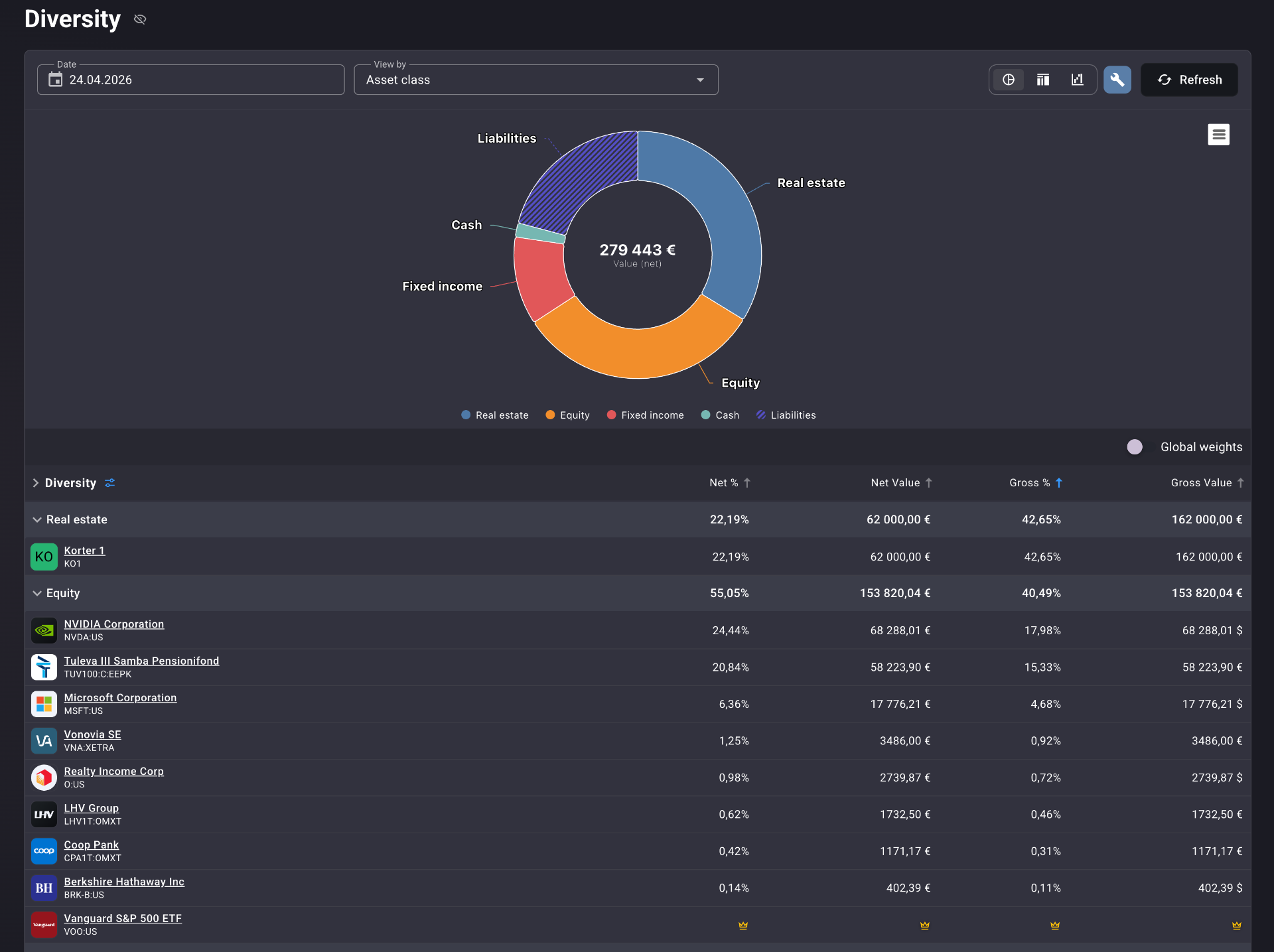
See your gross allocation at a glance
A single donut shows real estate, equity, fixed income, cash, and liabilities together. The shape of your wealth becomes obvious in one second — no spreadsheet sums, no mental math.
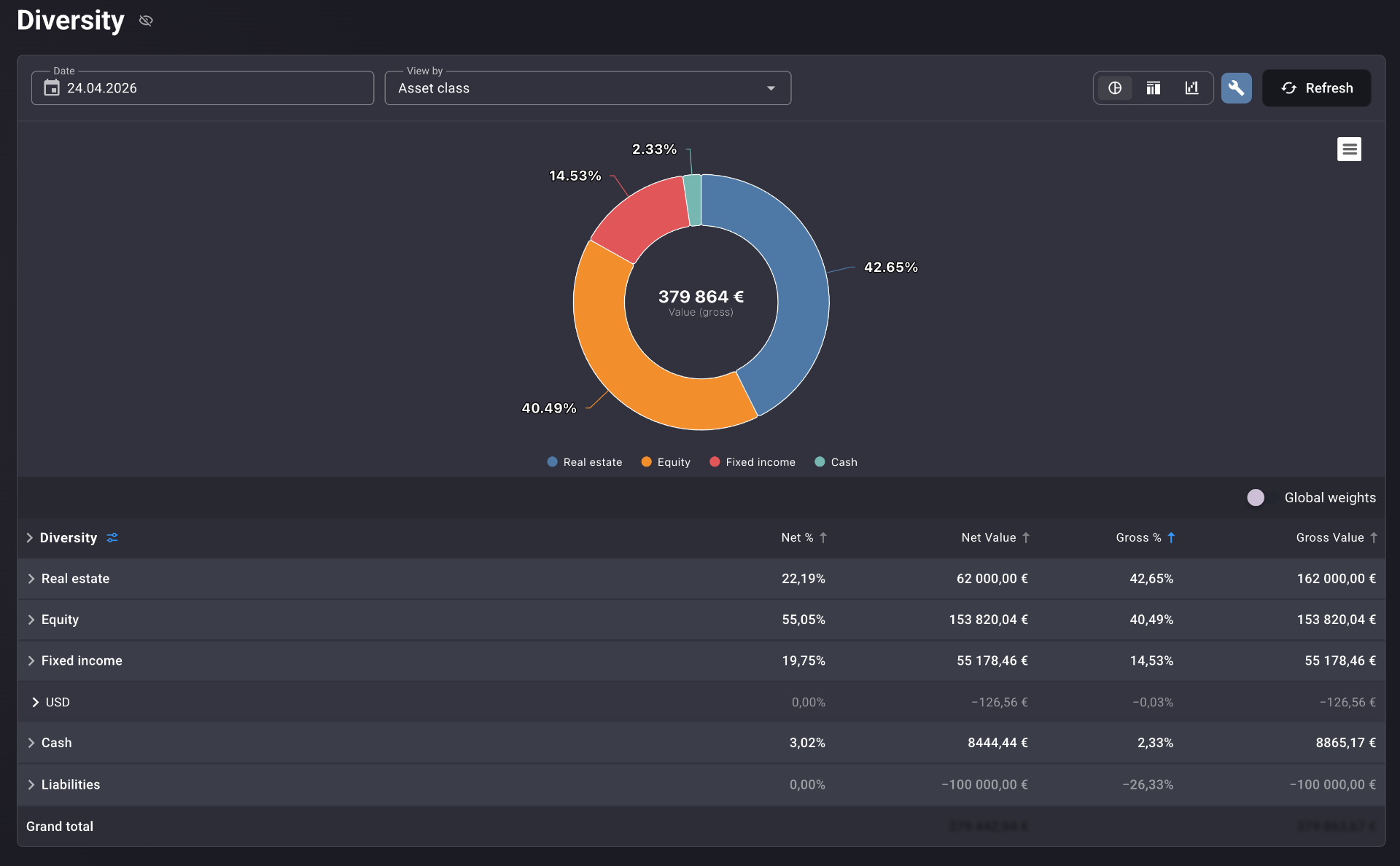
The leverage gap, in real numbers
Every row shows Net % and Gross % side by side. A property at 42.65% gross can be just 22.19% of your net worth. The gap is your leverage. Now you can see it.
Mortgages and loans visible, not hidden
Liabilities sit in the same table as your assets, as negative values. A €100k mortgage shows up as −€100k. You always see what you own, what you owe, and the difference.
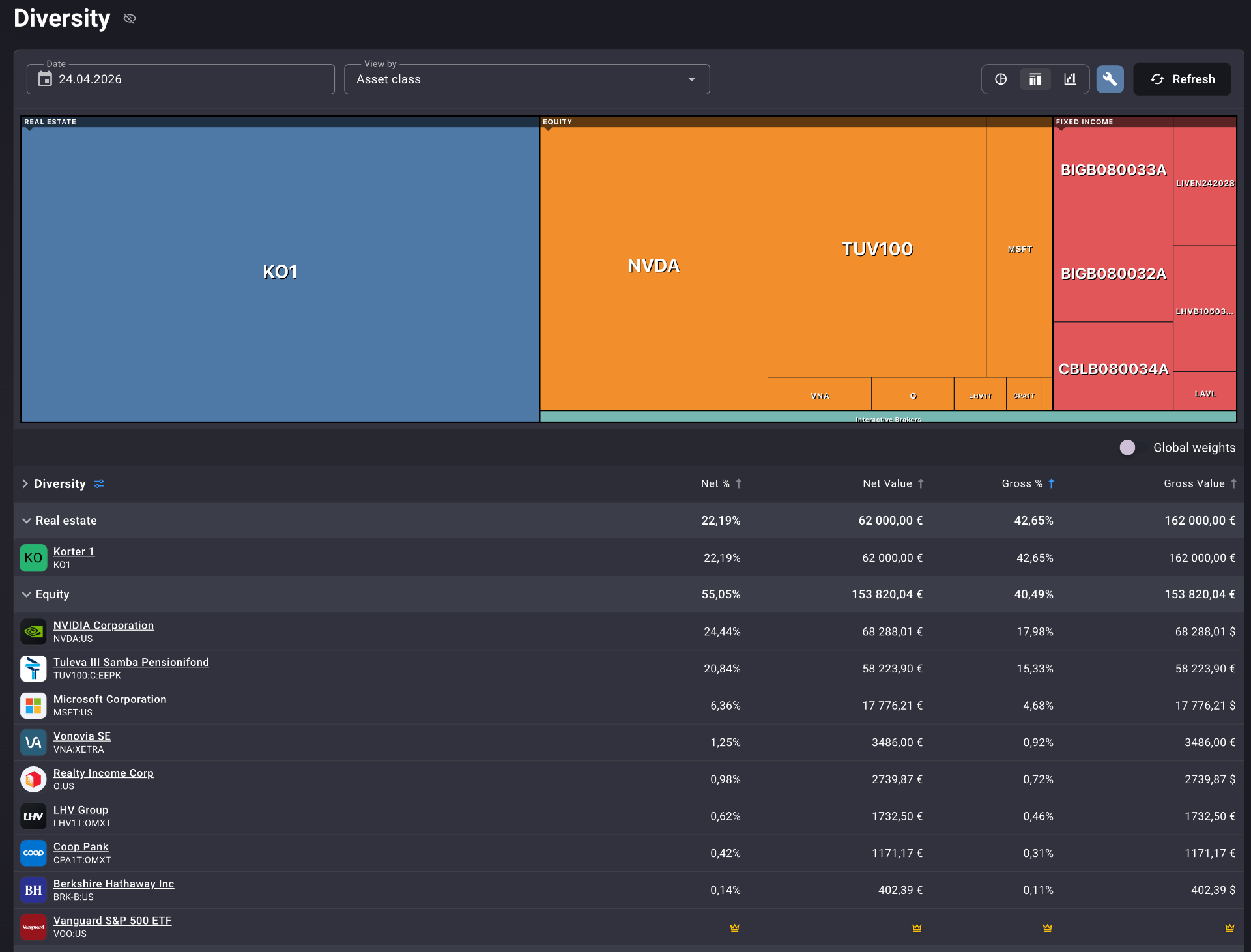
From asset class to single position
Open Real estate to see each property. Open Equity to see each ticker. The treemap and the table speak the same language — go from total wealth to a single line in two clicks.
Built for the way real portfolios are shaped
Net vs. gross split
Every asset class and every instrument shows both — so leverage is never invisible.
Full liability visibility
Mortgages, AT1 loans, personal debts — all sit in the same table as your assets, with sign and value.
Drill-down to instruments
Asset class → sub-category → individual position, all in one scrollable view.
Compare to global weights
Toggle on global market-cap weights to see how your allocation compares to the world portfolio.
Historical date selector
See your allocation as it stood on any past date. Watch how the structure has shifted.
Native multi-asset support
Real estate, bonds, VC funds, ETFs, pension funds, cash, private companies — all first-class.
Every angle on your allocation
The same data, sliced however the question demands. No new screen, no exporting, no spreadsheets.
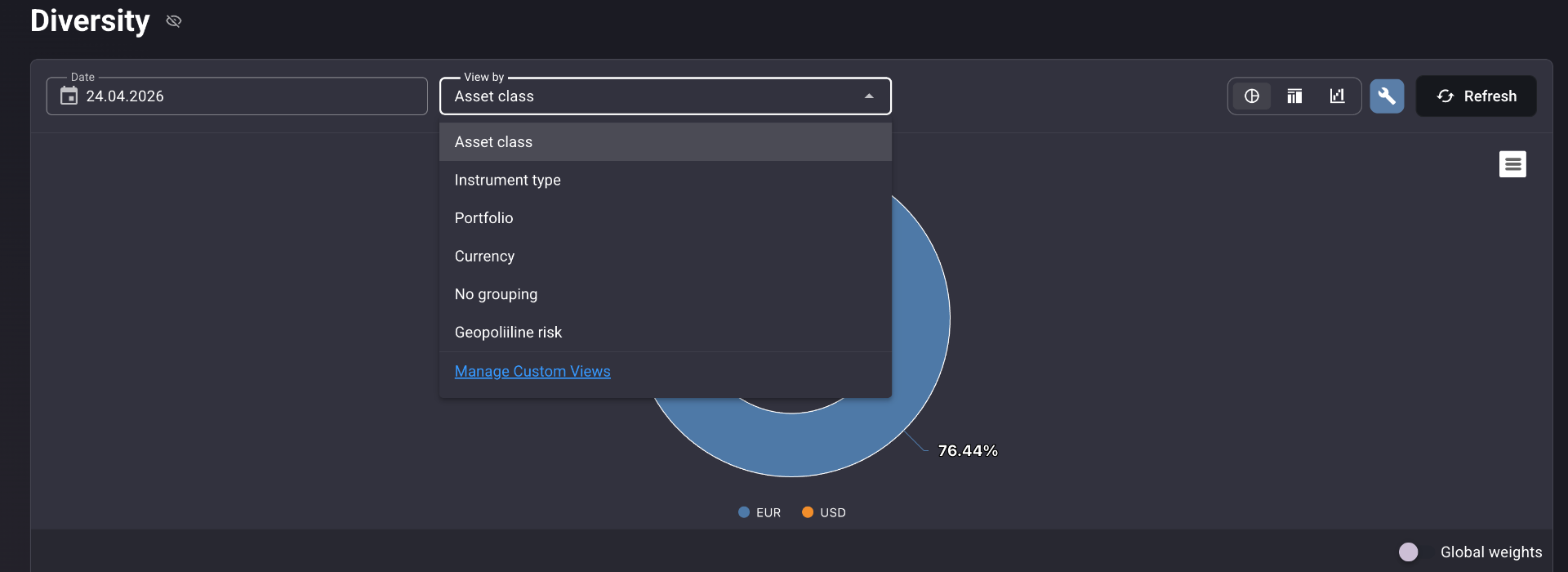
Slice the same portfolio by asset class, instrument type, portfolio, currency, or your own custom dimension like geopolitical risk.
Real-life use cases
The 44% / 28% gap
Real estate is 44% of your gross assets but only 28% of your net worth. The 16-point gap is leverage. Now you can decide: add more debt, or pay it down?
VC creep
Your VC fund commitments quietly grew to 30% of net worth — illiquid, decade-locked capital that no broker app shows. The donut makes it impossible to ignore.
Pre-investment sanity check
Switch from "asset class" to "account" view. See which legal entity is most concentrated. Then decide which structure to deploy the next investment through.
Fits the way you actually allocate
Barbell strategies
Illiquid VC and private equity on one end, cash and short-duration bonds on the other. The Diversity Report keeps both ends honest.
Leveraged real estate + public markets
Mortgaged properties alongside a liquid stock book. Net vs. gross views stop you from double-counting equity.
Bond-heavy income portfolios
AT1s, subordinated bonds, P2P, crowdfunding, listed bonds — all grouped, all visible, all measured against what you owe.
Why Portfellow is different
Most portfolio tools are built for stocks. Real estate, bonds, VC, and liabilities are bolted on later — usually as a "manual asset" you type into a box.
Portfellow treats them as native asset classes from day one. The Diversity Report is the only allocation view we know of that shows net and gross simultaneously, with liabilities counted in the table — not footnoted away.
Suggested workflow
Five steps from "I think I'm diversified" to "I actually know."
Add accounts & instruments
Properties with mortgages, bonds, VC fund positions, ETFs, and cash.
Open the Diversity Report
One screen, every asset class, every liability.
Read the donut
Get the gross picture in two seconds.
Scan the net % column
See your true allocation after debt.
Drill down or switch view
Spot concentration, then decide where to deploy.