Hey 👋
Dividends, coupons, rent — if your portfolio pays you, you've probably wondered: did I actually get paid what I expected? In October we rebuilt the report that answers exactly that. We also redesigned the performance summary, added a plain-words read of your risk, and tidied up cash accounts and imports along the way.
Here are the biggest updates.
💸 Cash flow: what you expected vs. what arrived
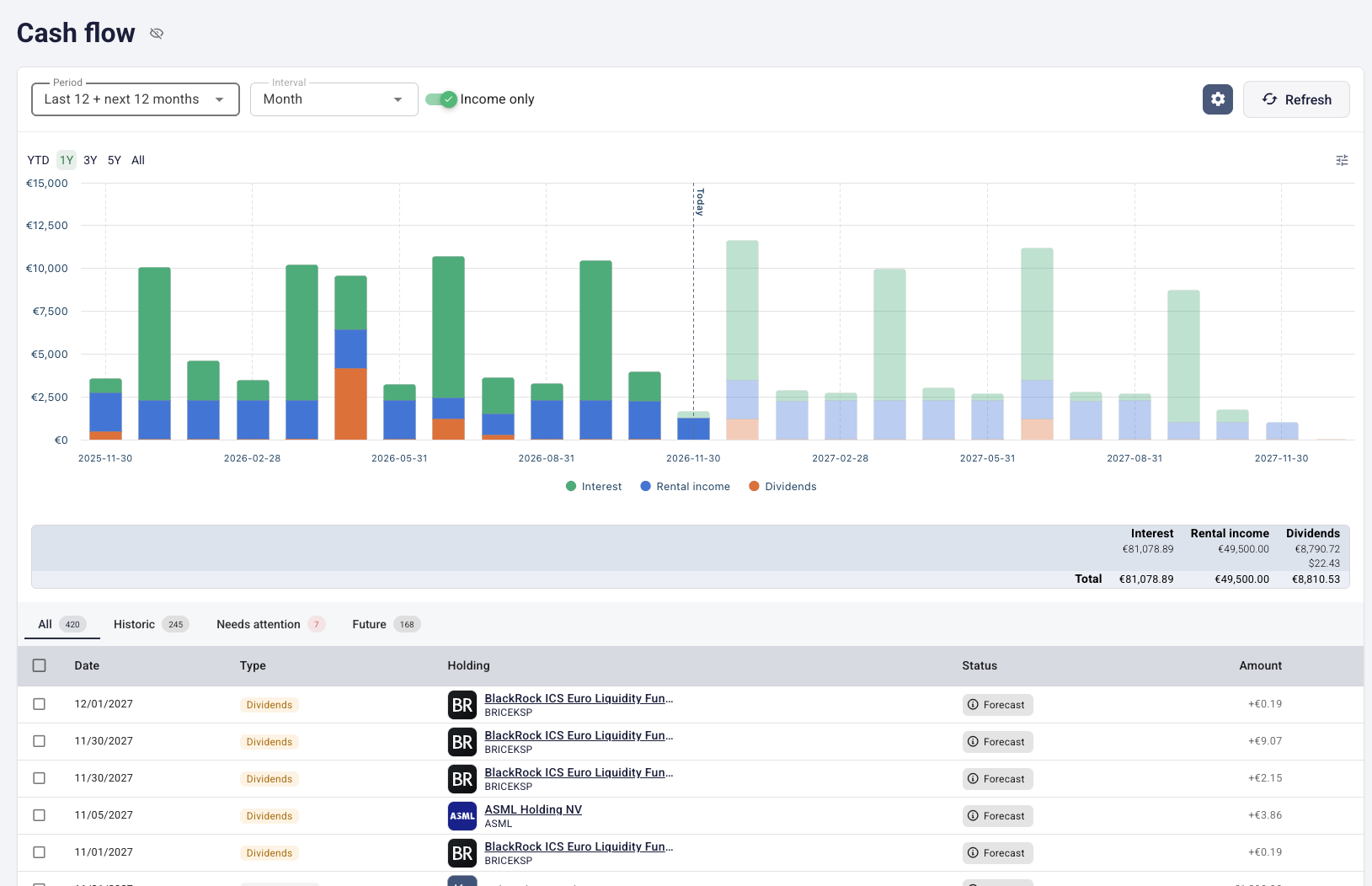
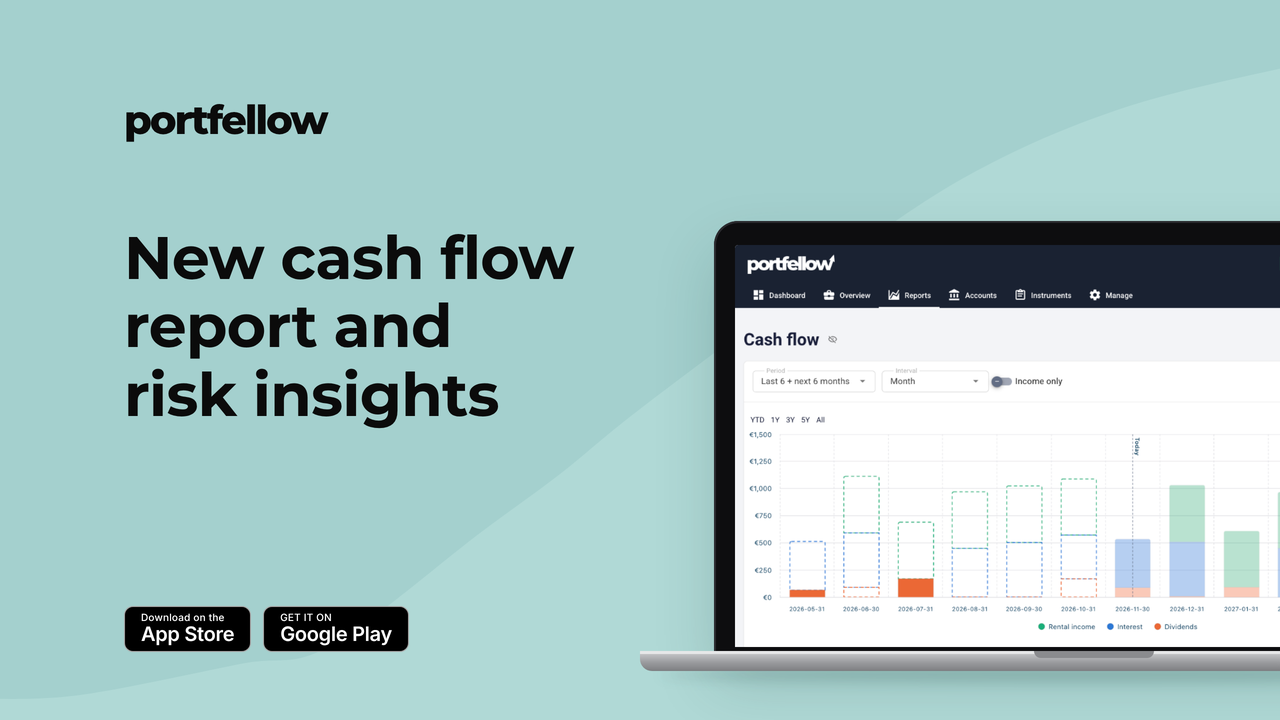
The future cashflow report has been rebuilt from scratch — and renamed Cash flow. It no longer just looks ahead. It puts the income and payments you expect next to what you actually booked, so you can answer one simple question: did I get paid what I expected?
You can now:
See past and future on one timeline, with a "Today" marker between what has already happened and what's still to come
Check the status of every payment — Forecast for what's coming, Pending for what's due but not booked yet, and Missed for what never arrived
Open Needs attention to find the payments that are late, and Link a pending item to the transaction that settled it
Switch between historic and future items, or turn on Income only to focus on dividends, interest and rent
Now on every instrument page, too. Income and future cash flows used to sit in separate places — now they're one Cash flow card. Past payments and upcoming ones share a single chart and list, each forecast shows where it came from (for example, "Declared by the issuer"), and an Add income button is right there.
Forecasts are estimates, not promises — but now you'll see straight away when reality doesn't match them.
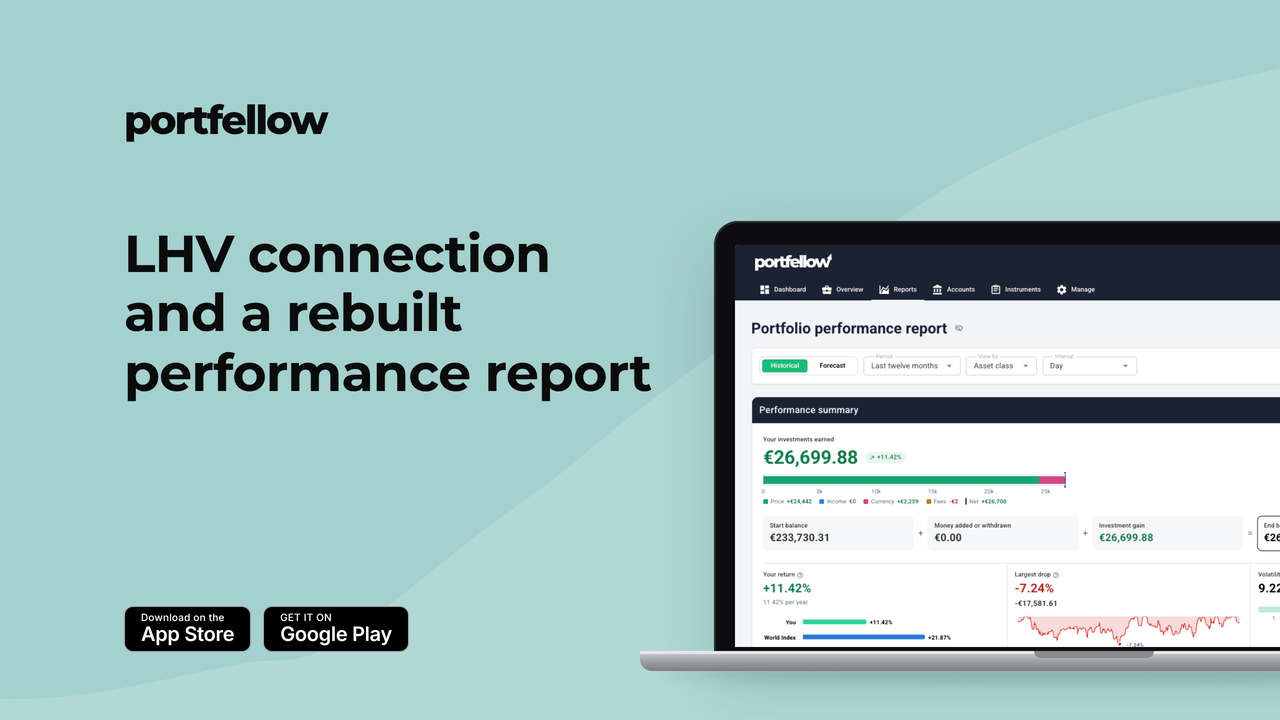
📊 A performance summary that explains your gain
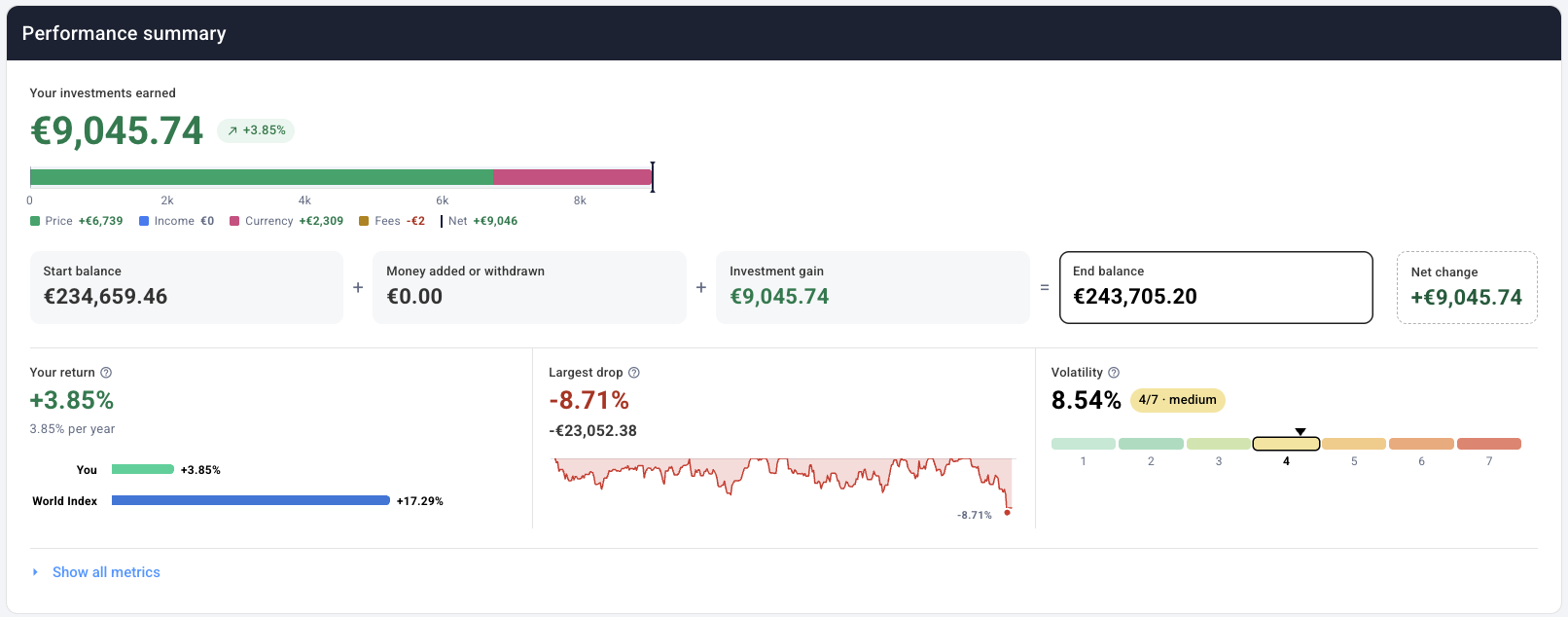
The performance summary has been redesigned from the ground up. It now leads with what matters most — your investment gain — and then breaks it down.
You can now:
See which groups of holdings your gain came from
Compare your result with the same money invested in an index, so you know whether your picks beat a simple alternative
Read the net change for the period on its own card, separate from the investment gain
The performance report itself got faster too. It opens on the last 12 months by default, draws cumulative return as a single clean area, and the comparison table now shows each compared column's market sensitivity.
A return figure on its own says little. Now you can see what's behind it.
🔎 Risk insights, in plain words
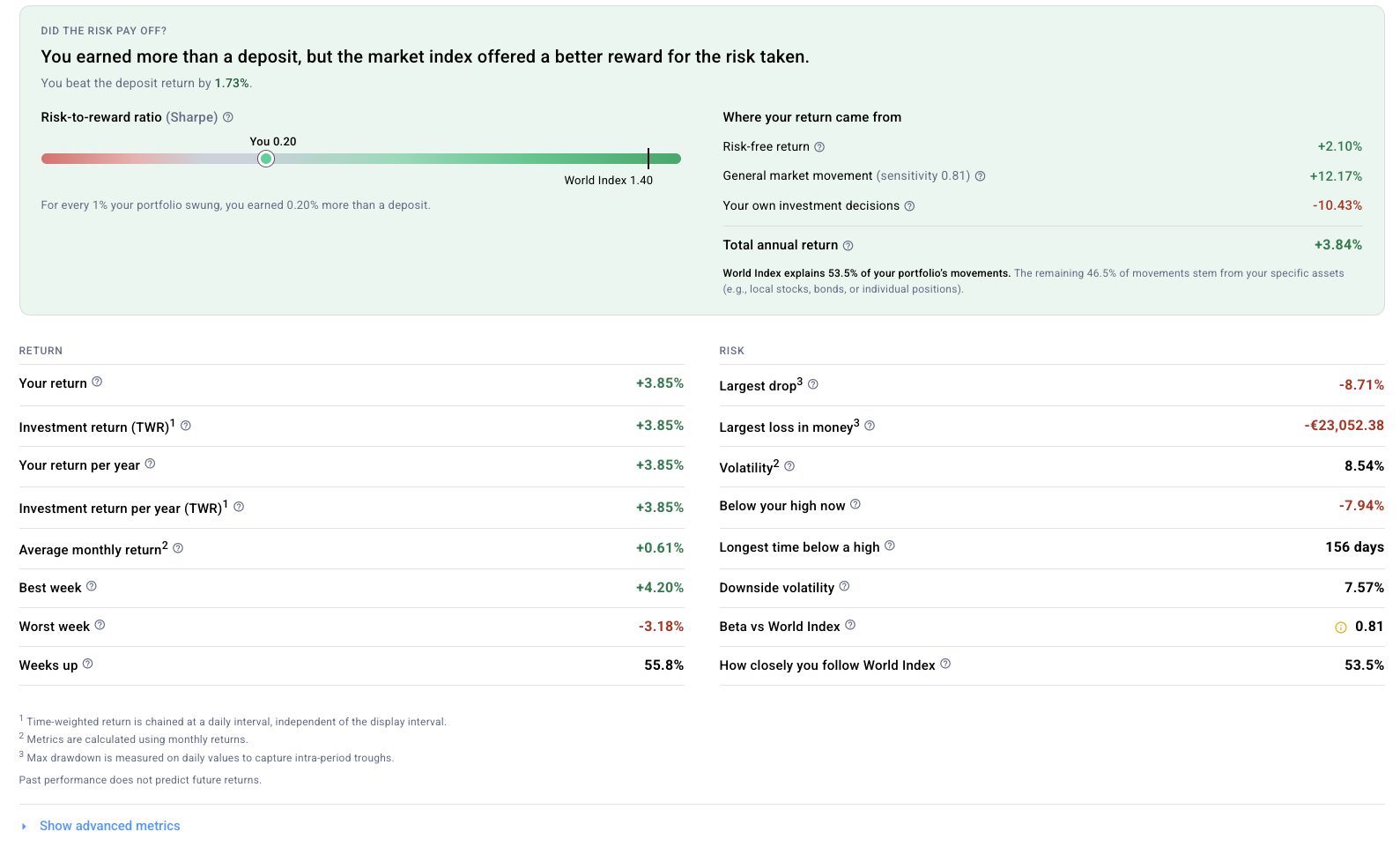
Sharpe ratios and betas are useful — if you know how to read them. Risk insights does the reading for you:
A verdict on your risk-adjusted return, based on the Sharpe ratio
Volatility as a 1–7 risk class — the same scale you know from fund factsheets
How closely you move with the market, and how much of its rises and falls you capture
One honest caveat: risk figures need enough data to mean something. When a figure comes from a short period or a weak statistical fit, Portfellow marks it, so you know how far to trust it. These numbers describe how your portfolio has behaved — they're not a prediction of what it will do next.
💶 Tidier cash accounts
Cleaning up a cash account used to mean a lot of one-by-one clicking. Not anymore.
Bulk actions on cash transactions: Select rows and map them to an investment or a loan — with a preview before anything changes — or unlink or delete them in one go.
Unlink a transfer between two cash accounts, and choose whether to keep both sides or remove the other account's leg.
Pending trades are visible: Trades waiting to settle now show up on the account page and in the import review.
⚙️ Move an investment to another portfolio
Reorganising? You can now move an investment to a different portfolio. Portfellow shows a preview first and flags anything that needs your attention before the move goes through.
📥 A clearer import flow
Import now lives on one page with a step rail, so you always know where you are.
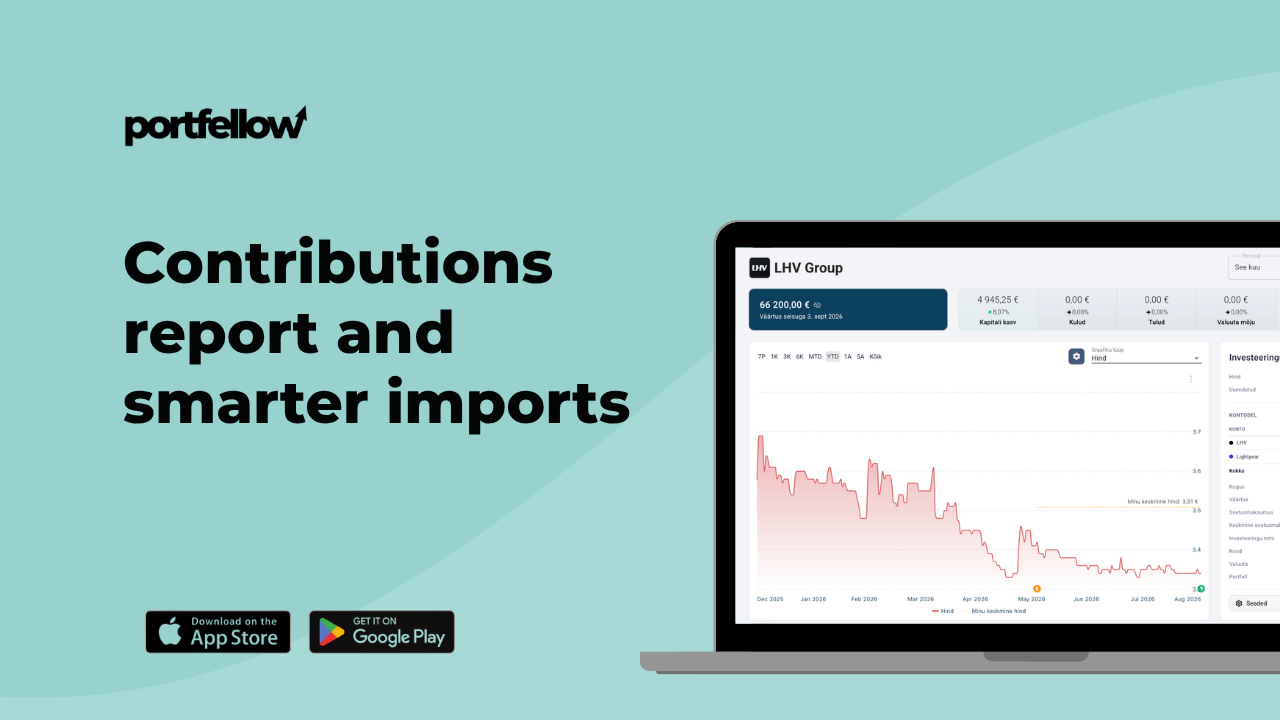
When Portfellow reads a spreadsheet it hasn't seen before, you check how it read each column as a preview of the transactions it will create — one question at a time — or match the columns yourself in a spreadsheet view.
Each decision in the review shows its possible transaction types as described cards, so it's clear what each choice means.
A refused payment gets a suggested booking that splits instalments into principal and interest.
A transfer asks which account it came from, or can be booked as a buy.
Rows can be copied to another portfolio, and Delete and Split now sit together in one Actions menu.
🐛 Smaller improvements
Data Check can now add a missing stock split in one confirmed step, and points out buys and opening balances recorded at a zero price — with a suggested price.
Instrument search marks the instruments you already hold.
Hungarian forint and UAE dirham are supported, and amounts in the former Estonian, Latvian and Lithuanian currencies can be imported and valued.
Deleting a portfolio shows exactly what will be removed with it and asks you to type its name — no accidental deletes.
That's October. Open Reports → Cash flow and see whether everything you expected has arrived.
Start free or sign in to try it all out.